Content
Reasons of Deleting Backup Files
Reasons of Deleting Backup Files
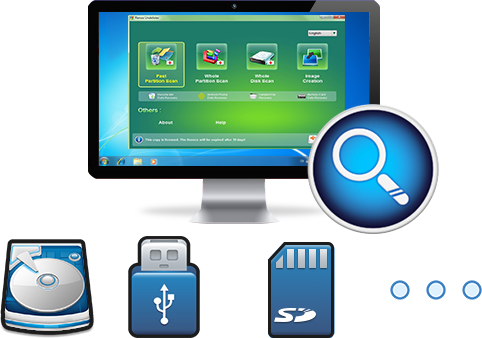
Easy to use Recover data by 3 steps;
Multiple scan modes Fast partition scan, whole partition scan and whole disk scan;
Supported file types Image, video, audio, text, email and so on;
Image creation Create a partition image to read and back up data;
Supported devices SD card, SDHC, SDXC, USB flash drive, hard disk and computer.
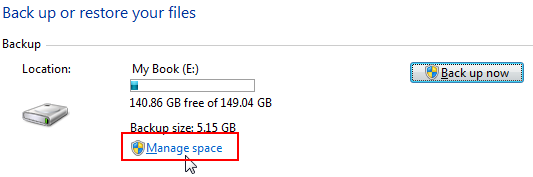
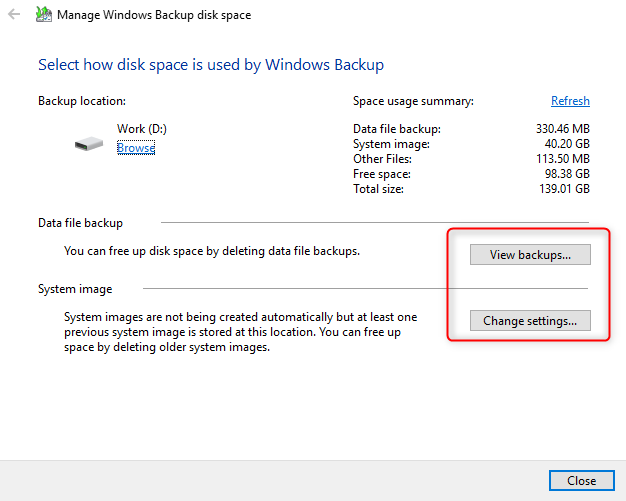
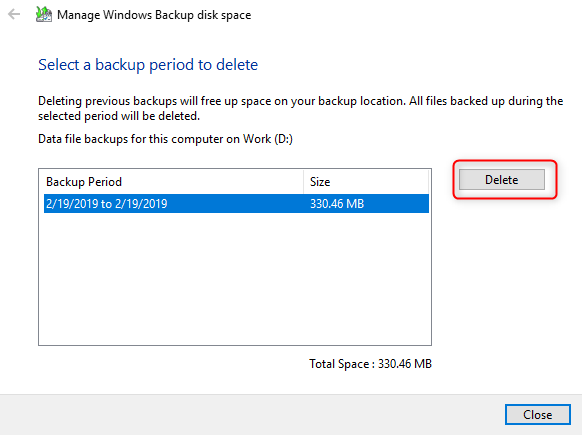
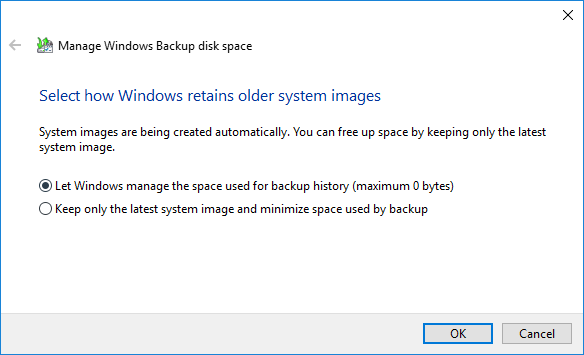
▽ Free Trial (Win) ▽ Free Trial (Mac) (Win)How to Delete Backup Files in Windows 10
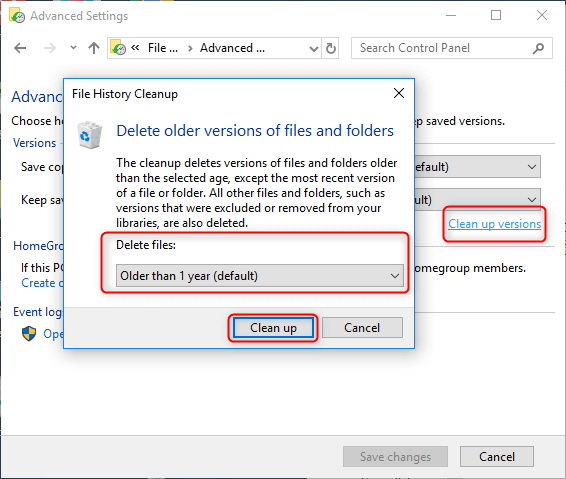
Solution 1: Delete Backup Files via File History
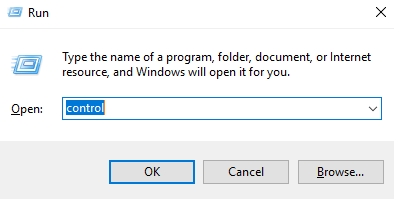
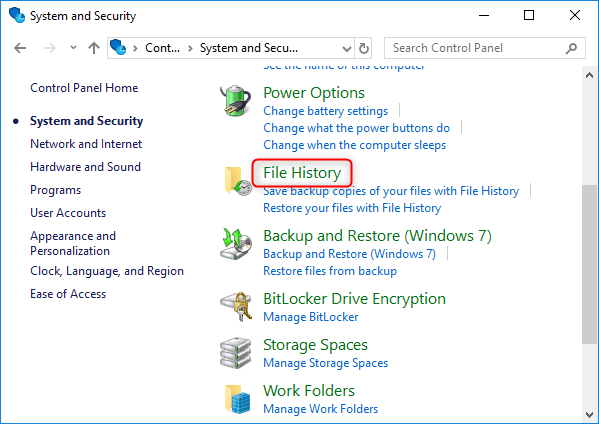
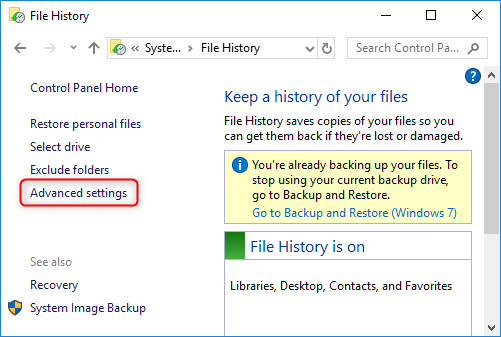
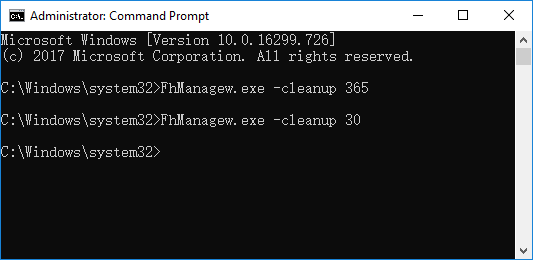
Solution 2: Delete Backup Files Using Command Prompt
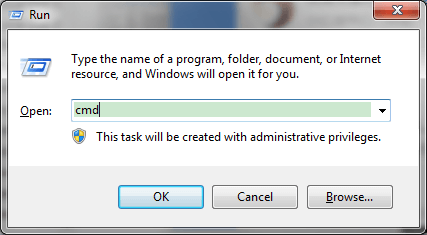
- More than 1 month: FhManagew.exe -cleanup 30
- More than 3 months: FhManagew.exe -cleanup 90
- More than 6 months: FhManagew.exe -cleanup 180
- More than 1 year (default option): FhManagew.exe -cleanup 365
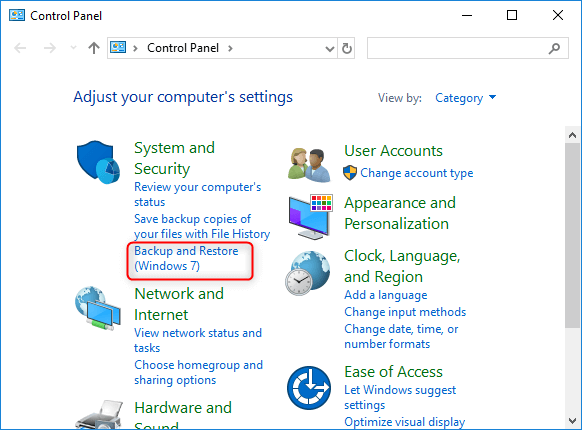
How to Recover Accidentally Deleted Files
- Fast Partition & Whole Disk Scan
- Office Documents Preview
- Memory Card Data Recovery

- Amazing Photo Recovery
- Formatted Data Recovery
- Recycle Bin Data Recovery

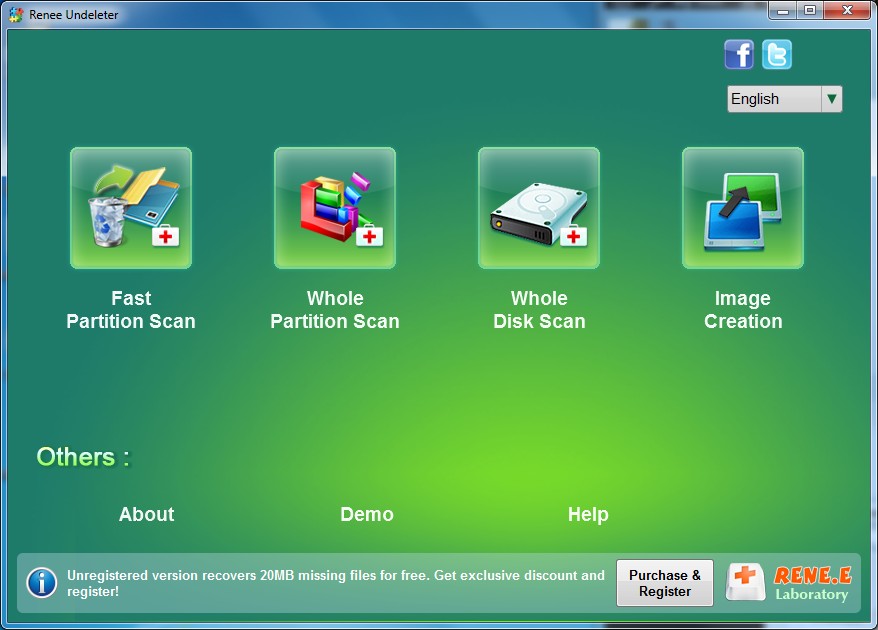
Step 1: Launch Renee Undeleter and select “ Fast Partition Scan ” function.
This function supports to recover deleted files due to emptied recycle bin or Shift + Del.
Step 2: Choose the partition where you save the deleted files to scan.
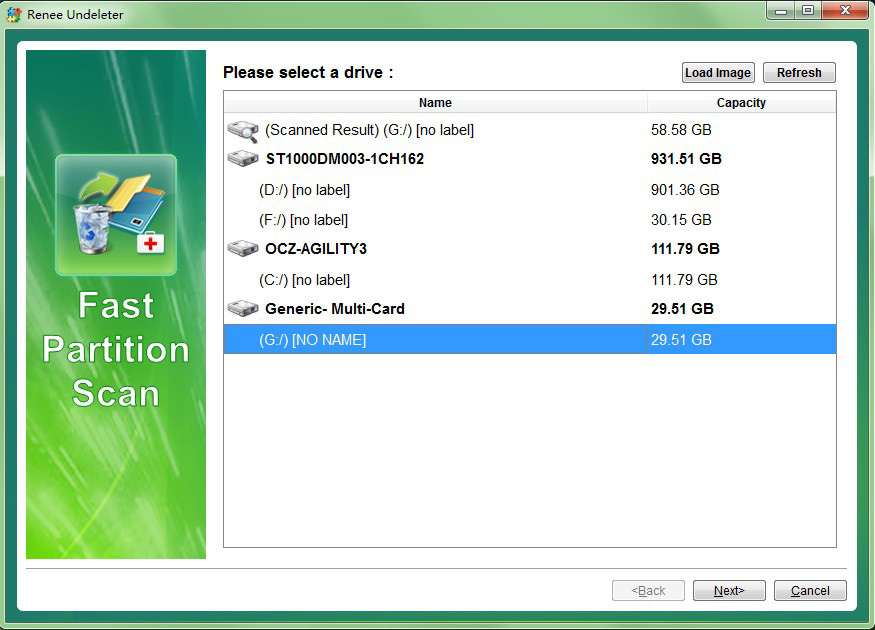
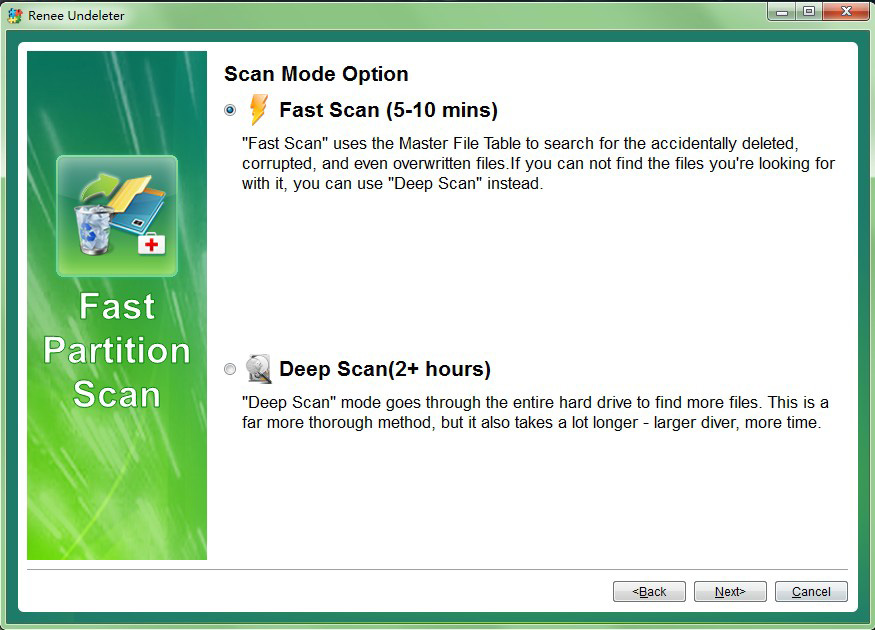
Step 3: Select “ Fast Scan ” and click “ Next ” to process the scan.
Step 4: Preview files in the scan result to check the quality when scan is processing.
Relate Links :
How to Defrag a Hard Drive to Speed up Windows 10?

29-07-2019
John Weaver : When the PC is used for a long time, files on your hard drive may get fragmented. If...
How to Recover Files Deleted from Recycle Bin on Windows?

30-07-2019
Ashley S. Miller : Many users may have carelessly deleted some important files and emptied the Recycle Bin. But most of users...
Comments
0 comments
Please sign in to leave a comment.