
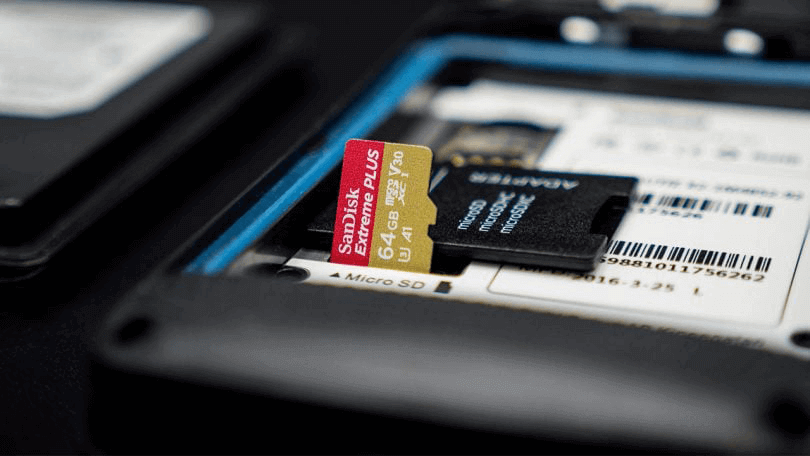
When you meet with these situations, try to format the SD card:
- SD card cannot be detected by smart phones, computers and digital cameras.
- SD card is attacked by virus.
- The file system of the SD card is damaged.
- The free space of the SD card is full.
When you are going to delete all files on the SD card, try to use Renee Undeleter to recover them from the unreadable SD card .
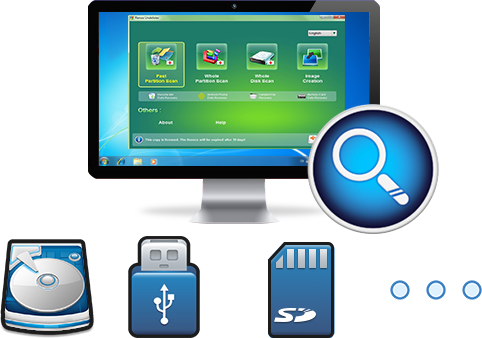
Easy to use Only simple steps to recover data from storage devices.
Multiple scan modes Fulfill different data lost and recovery needs.
File types Recover pictures, videos, audios, documents, mails, etc.
Supported storage devices Recover data from recycle bin, SD card, external disk, etc.
Supported System Windows 10, 8.1, 8, 7, Vista, XP, 2000 and Mac OS X10.6, 10.7, 10.8.
▽ Free Trial (Win) ▽ Free Trial (Mac)
If you SD card in unreadable or damaged, try high-level formatting at first. It can shot most of trouble on SD card.
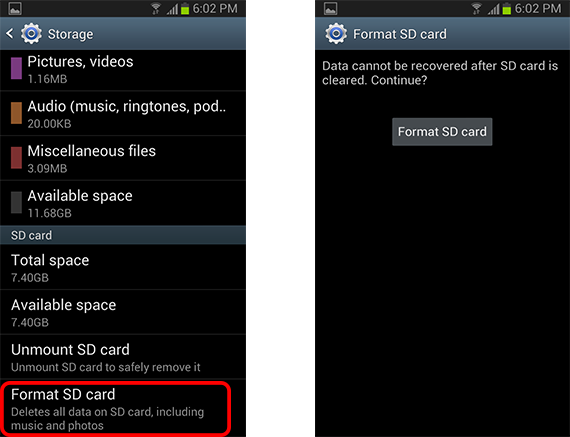
1. High-level formatting on Android Phone
② Go to [ Storage ] > [ SD Card ] > [ Format ]. Then all data will be erased. The details in different phones may not be completely the same with this case. Hope it is a good tip for you.
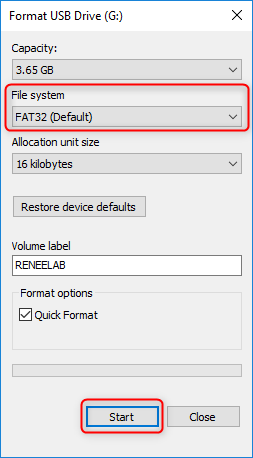
2. High-level formatting on PC
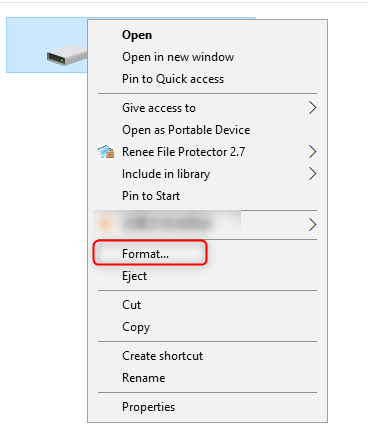
- NTFS is the default format in Windows OS;
- FAT32 fits the SD card at low capacity;
- exFAT fits the storage card over 64GB.
Choose [ FAT32 ] or [ exFAT ] based on your needs. If it is not the first time to format the SD card, check [ Quick Format ].
1. When SD card should be formatted at low-level?
- If the SD card fails to be formatted, you can try to reset the file data and the control information with low-level formatting.
- With regard to data safety, data should be erased clearly from the SD card.
2. How to format SD card at low-level
Note: this approach will irreversibly erase all data on the SD card. You MUST back up all important data on the card.
SD Formatter download link: https://www.sdcard.org/downloads/formatter/
Steps:
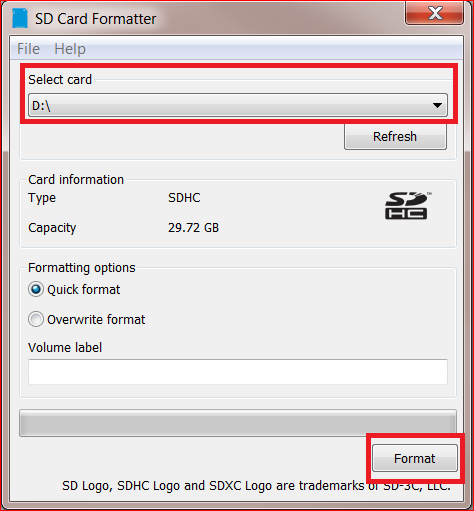
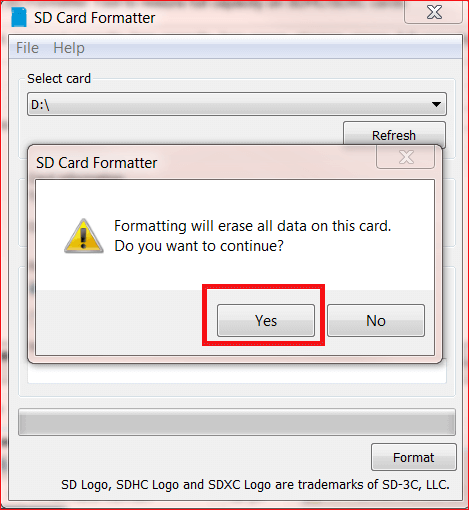
Steps:
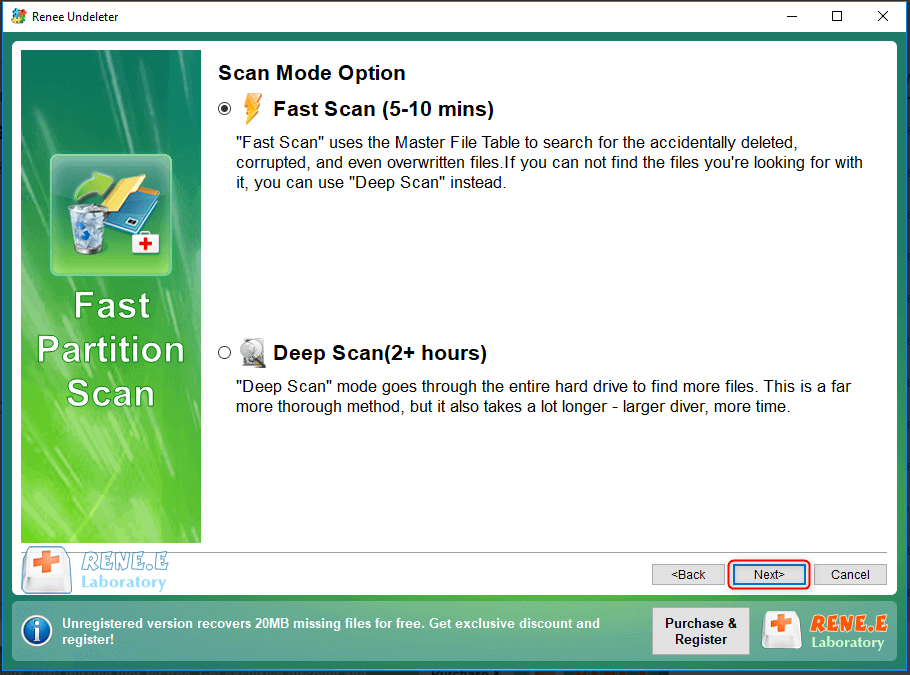
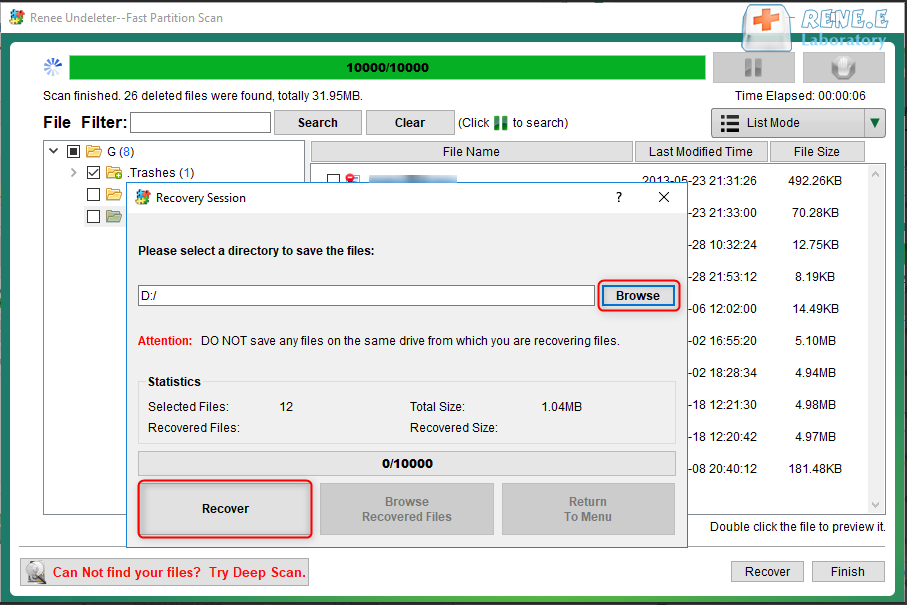
① Download and install Renee Undeleter.


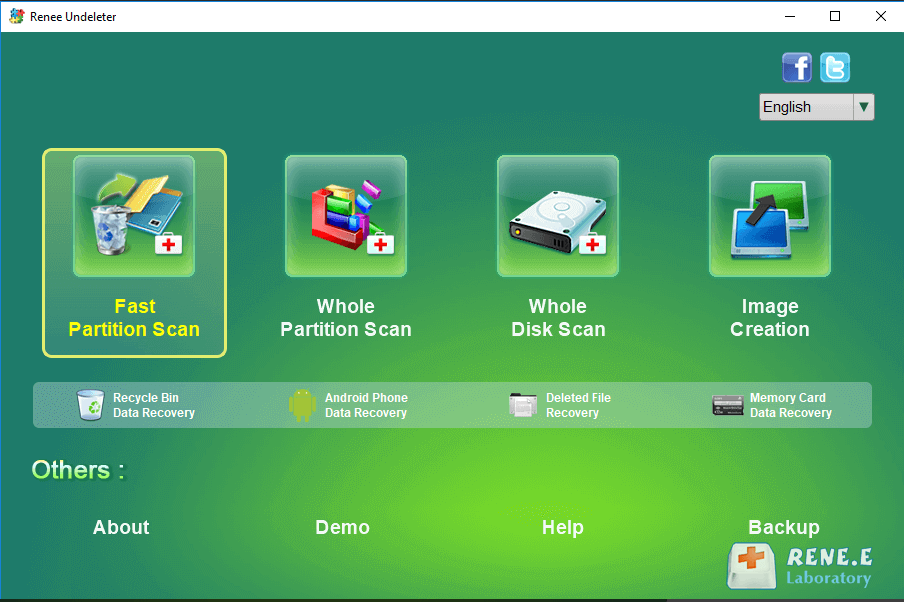
Note: [ Fast Scan ] can save much more time while [ Deep Scan ] can go thoroughly the disk and take a longer time to scan. Select one mode depend on the capacity of your disk. Then, click [ Next ] to begin scanning.
Relate Links :
How to Format SD Card to FAT32?

25-06-2019
Jennifer Thatcher : Disk Management and the Diskpart command set in Windows can facilitate us to format the SD card. Yet,...
How to Recover Deleted Photos from Android and iPhone

25-06-2019
Amanda J. Brook : We may delete some important photos when deleting photos. Or we may lose photos from our phone because...
Comments
0 comments
Please sign in to leave a comment.