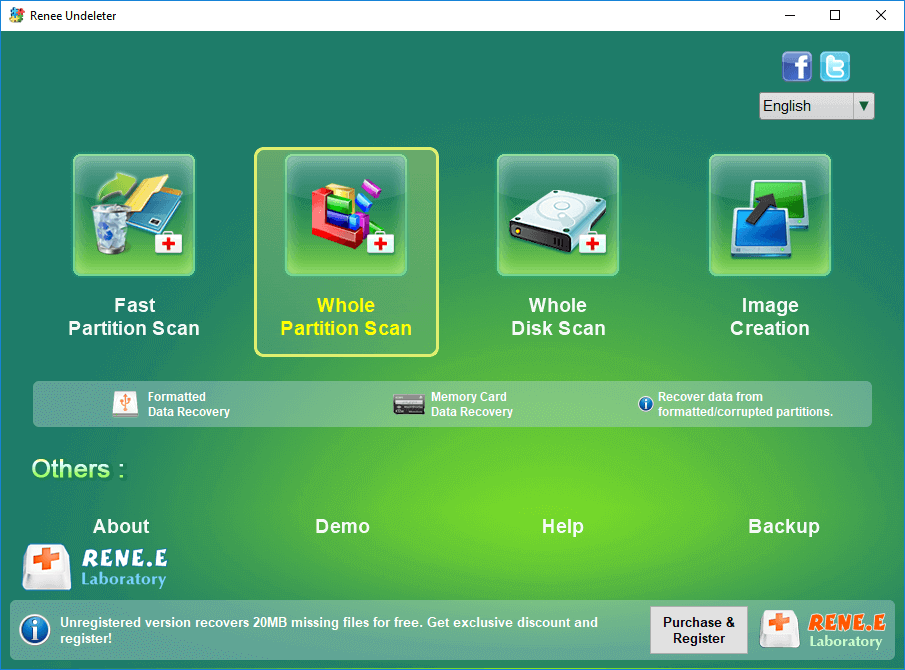
Renee Undeleter is the software specializing in data recovery. It can recover the deleted files, the emptied Recycle Bin and the formatted disk. The software includes 4 scan modes, Fast Partition Scan, Whole Partition Scan, Whole Disk Scan and Image Creation, which provides comprehensive solutions to data loss. Besides, its fingerprint technology and the file system rebuilding technology can skip the damaged blocks of the SD card to rebuild the file system. That can help us retrieve the lost data as much as possible.
It is easy to use Renee Undeleter. Here are the steps:
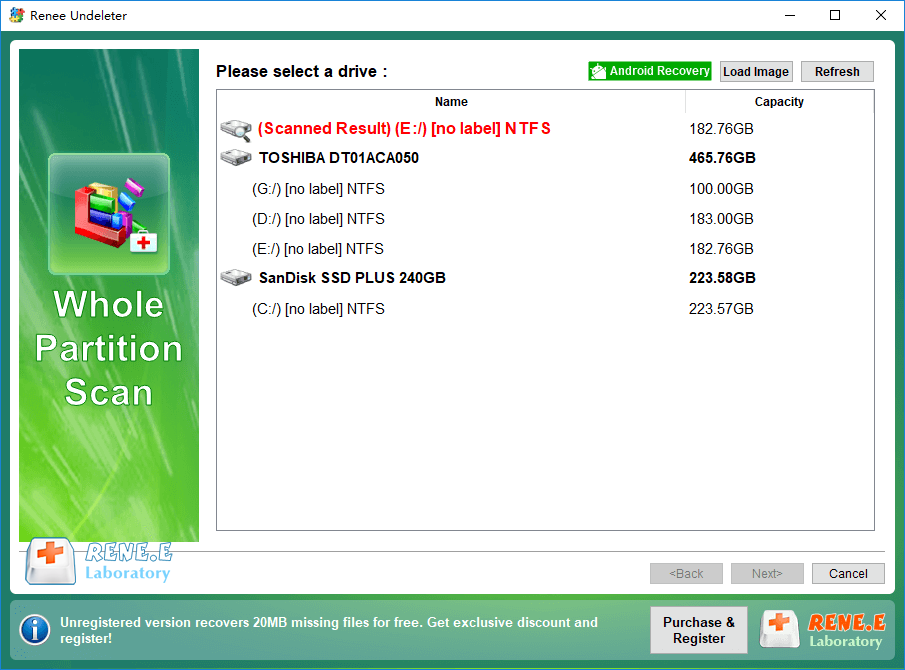
Step 1: Download and install Renee Undeleter. Open the software and select [ Whole Partition Scan ].
Note: Don’t install the software into the source disk in case that the data is overwritten, unable to be recovered.
Functions of different recovery modes:
• Fast partition scan – Recover the files after emptying Recycle Bin or deleted by mistake without data backup.
• Whole partition scan – Scan the whole partition and list all files, especially for the formatted partition or inaccessible issue.
• Whole disk scan – Scan entire disk to find out all partitions’ information and simulate the partition table.
• Image creation – Create a partition image which can be used in case that reading partition is slow or need a backup.
Step 2: Next, select the SD card and click on [ Next ] to go on.
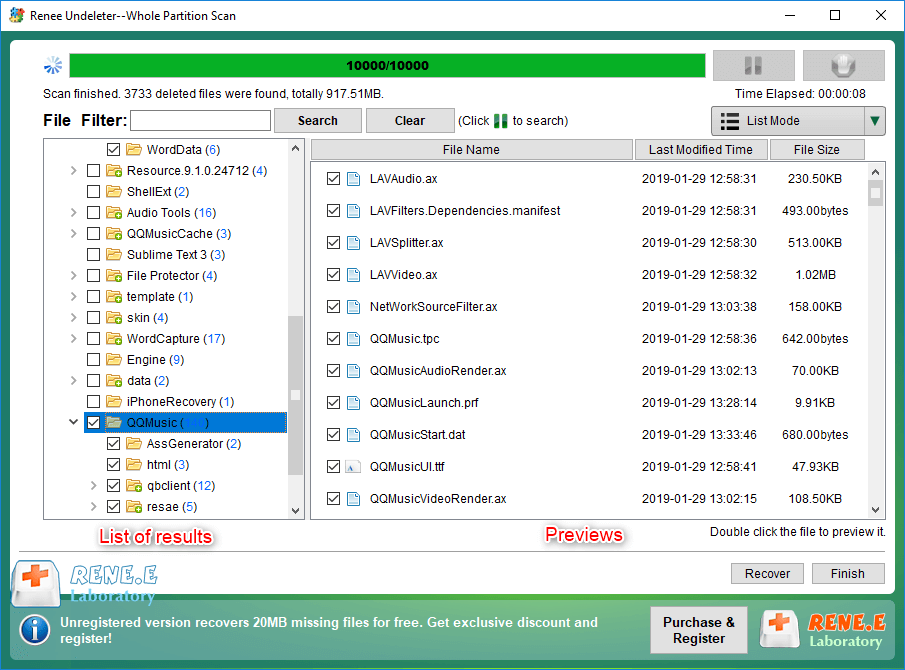
Step 3: Wait for the scan and then select the target files to recover. Click on [ Recover ].
Note: Please save the recovered files into the folders in case that the original disk is overwritten.
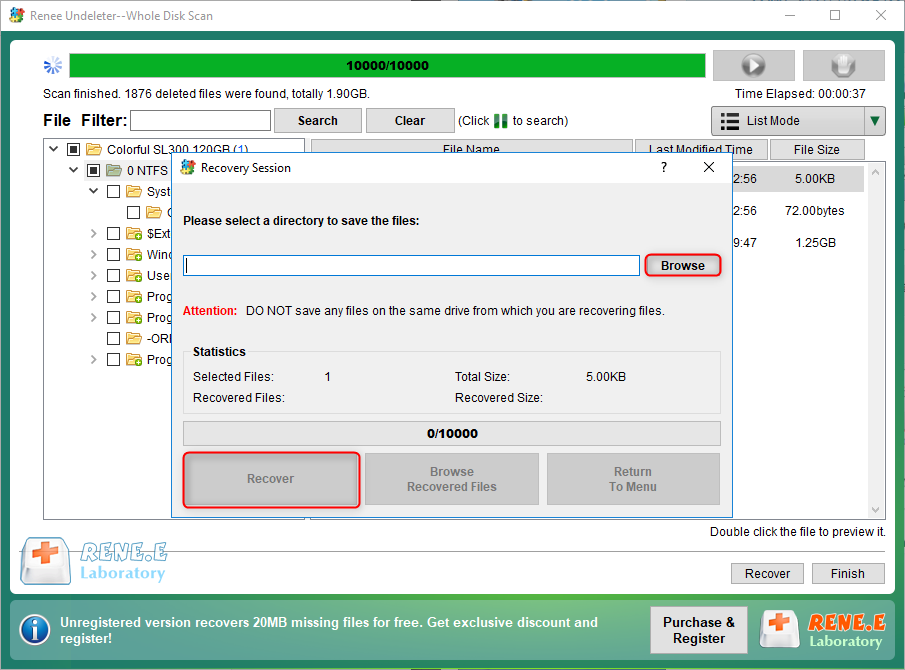
Step 4: Select the destination to save the files that are to be recovered. Finally, click on [ Recover ] to recover the files.
Note: Don’t save the recovered files in the original SD card. Otherwise, the files may cover the original data in the SD card. If you cannot recover the data in this easy, try [ Whole Disk Scan ] for the further scan.



Comments
0 comments
Please sign in to leave a comment.