

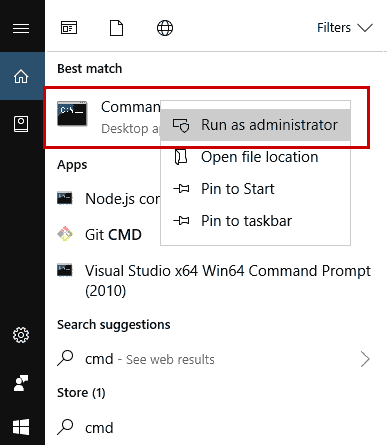
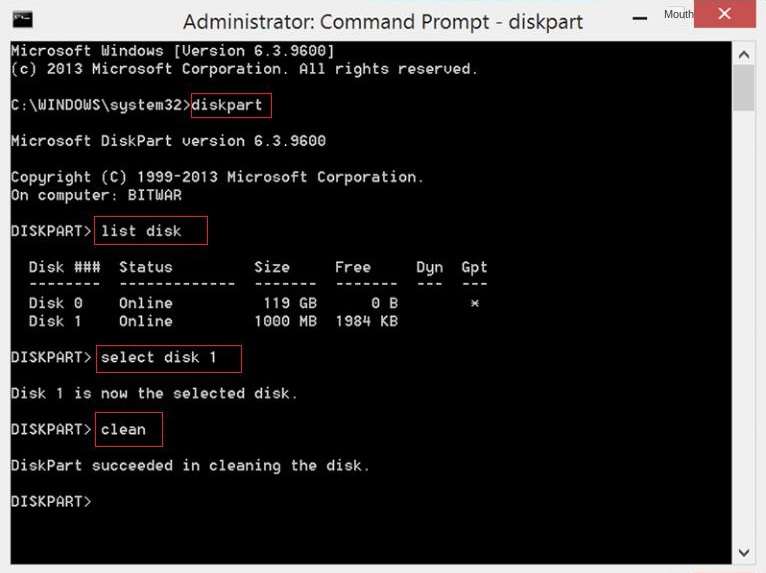
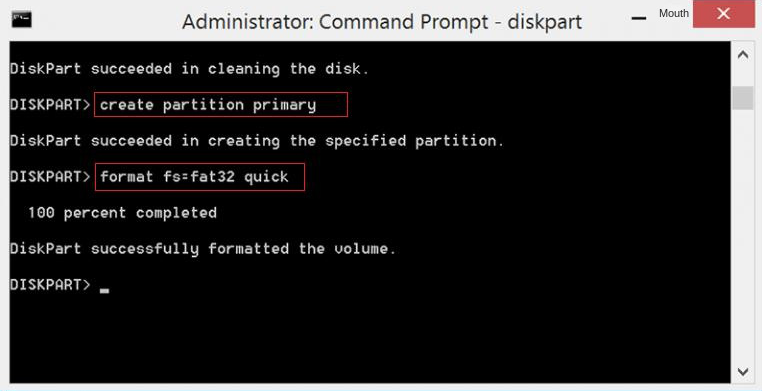
"cmd"
in the search box, right-click on “command prompt” , and choose “Run as administrator.”
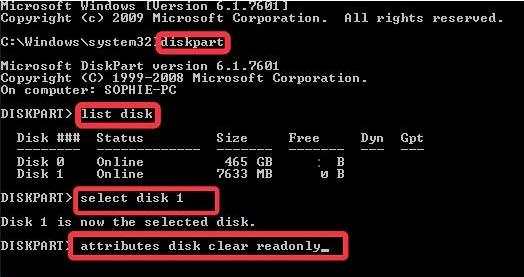
attributes disk clear readonly
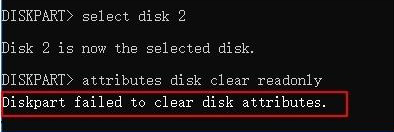
” command, it could be due to the physical write protection switch of the SD card still being closed or the SD card having a bad sector or file system error. To check and repair it, you can use the Windows error checking tool .
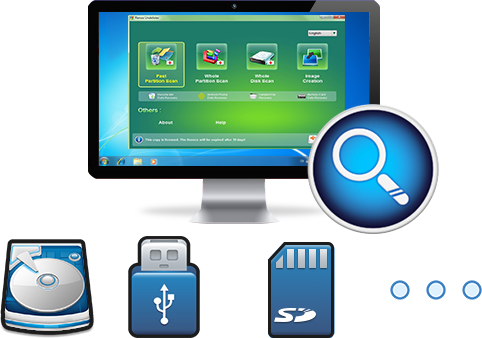
Easy to use Recover data by 3 steps;
Multiple scan modes Fast partition scan, whole partition scan and whole disk scan;
Supported file types Image, video, audio, text, email and so on;
Image creation Create a partition image to read and back up data;
Supported devices SD card, SDHC, SDXC, USB flash drive, hard disk and computer.
▽ Free Trial (Win) ▽ Free Trial (Mac)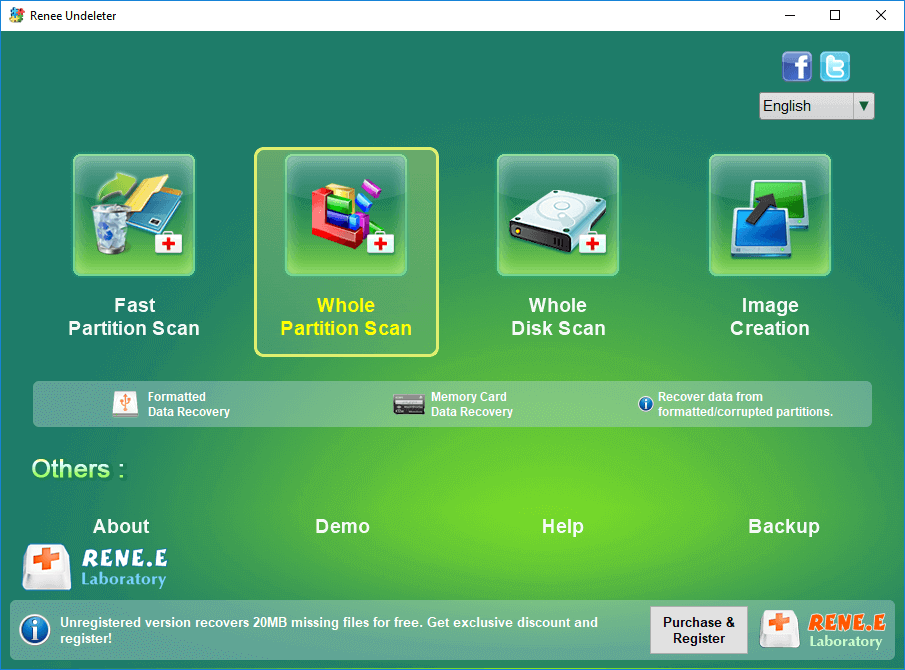
       (

        Recover

       )
button.
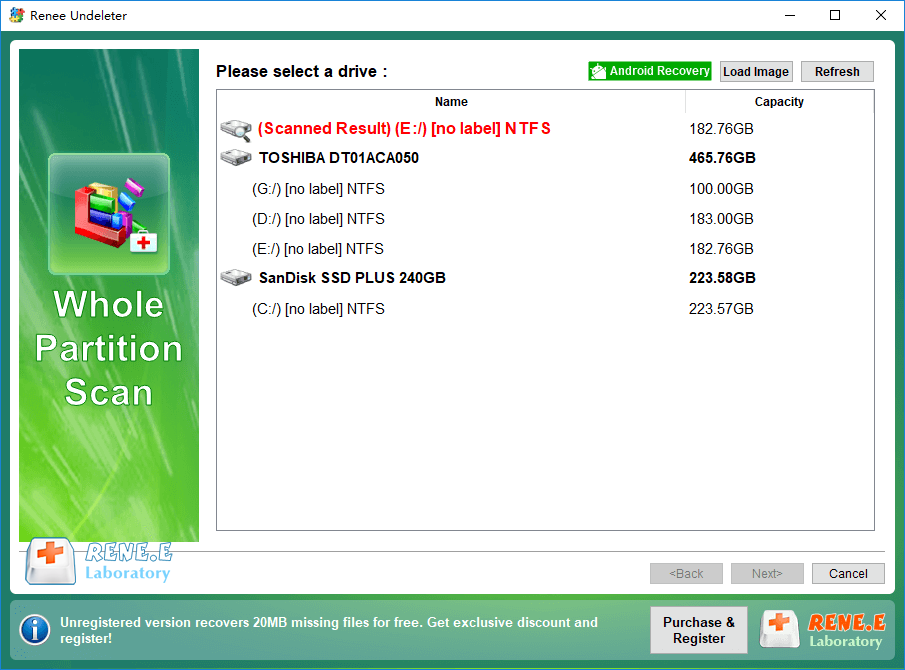
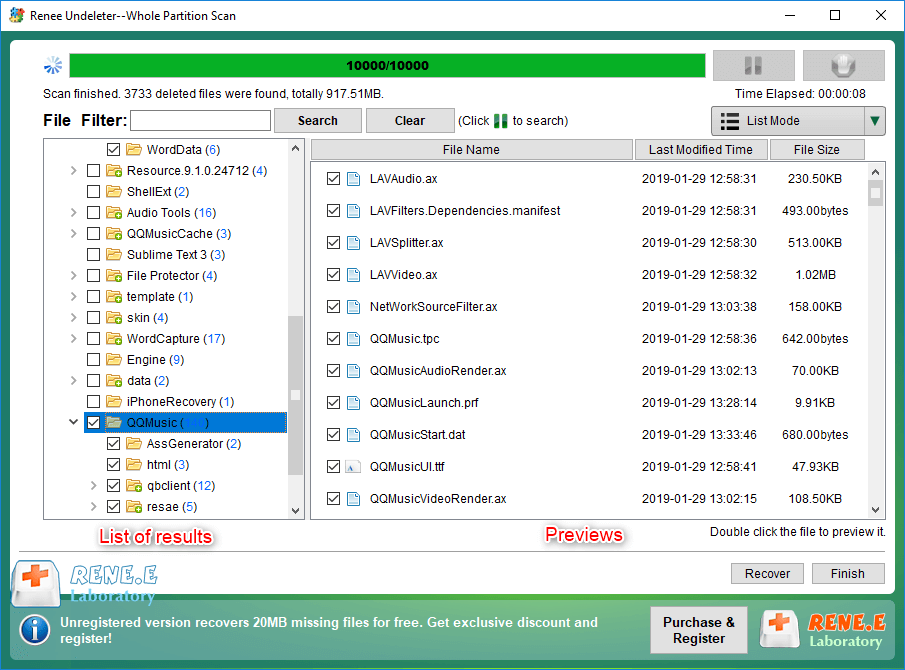
Alternatively, you can wait for the scan to finish, review the scan results for files to recover, and then click the
        (

         Recover

        )
button. Save the recovered files in different partitions instead of the original SD card to prevent data overwriting.
Relate Links :
Lexar SD Card Data Recovery: Ultimate Guide

12-05-2024
Ashley S. Miller : Efficiently restore lost data on Windows and Mac with lexar sd card recovery software, designed for seamless recovery...
Samsung SD Card Data Recovery: A Complete Guide

04-06-2024
John Weaver : Learn effective techniques to quickly perform a Samsung SD card recovery, a popular choice for reliable storage.
Fast SD Card Recovery: Easily Retrieve Lost Files on Mac
01-04-2024
John Weaver : Discover the straightforward methods for retrieving lost files from your SD card using a Mac in our thorough...
Ultimate Guide for Data Recovery from RAW SD Card
11-04-2024
Ashley S. Miller : Discover effective strategies to retrieve data from a RAW SD card and return it to a functional condition...
Comments
0 comments
Please sign in to leave a comment.