
The NTFS (New Technology File System) is a file system developed by Microsoft in 1993, designed to enhance performance, reliability, and disk space utilization , succeeding the FAT file system. It has become the predominant file system for Windows . However, its compatibility is limited elsewhere; for instance, it is read-only on Macs and on some Linux distributions. Furthermore, NTFS is not supported by a variety of removable devices including Android smartphones, DVD players, digital cameras, media players, smart TVs, and printers .
NTFS is a journaling file system that logs changes, aiding in easier recovery from errors such as system crashes or power interruptions. It supports setting specific permissions for files and folders, which can also be compressed to save disk space without compromising system performance. NTFS can handle up to 256TB for both maximum disk size and individual file size, except when using the MBR partition format, which is limited to 2TB . For disks utilizing NTFS, using the GPT partition format is recommended.
When initializing a disk, you have the option to select between MBR (Master Boot Record) and GPT (GUID Partition Table) partition styles. To learn about their differences, you can click here . To set or change the file system, format the existing disk partition or create a new simple volume .
It is not difficult to recover data from NTFS drive, two common methods will be introduced below.
Renee Undeleter supports scanning NTFS local disks and mobile hard disks, etc. The following is the specific function introduction and recovery steps.
①What is Renee Undeleter?
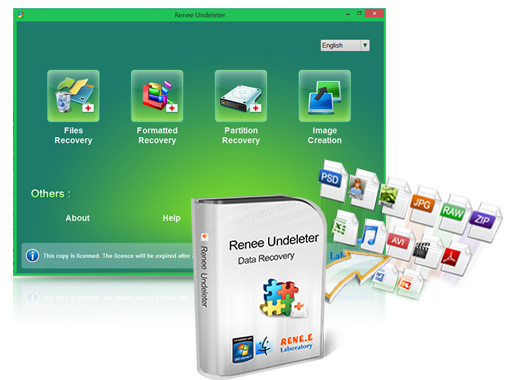
Renee Undeleter is a software designed to recover various data files . It’s useful when you’ve accidentally deleted files , emptied the recycle bin , or formatted drives like disks, memory cards, or USB drives. The tool includes four key modules : file recovery , format recovery , partition recovery , and image creation , addressing a wide range of data loss issues. It works with storage devices such as internal hard drives , external hard drives , SD cards , and USB drives that can connect to a computer. Additionally, the software supports file preview , enabling users to identify and recover the needed files accurately.
②How to recover data from NTFS drive with Renee Undeleter?
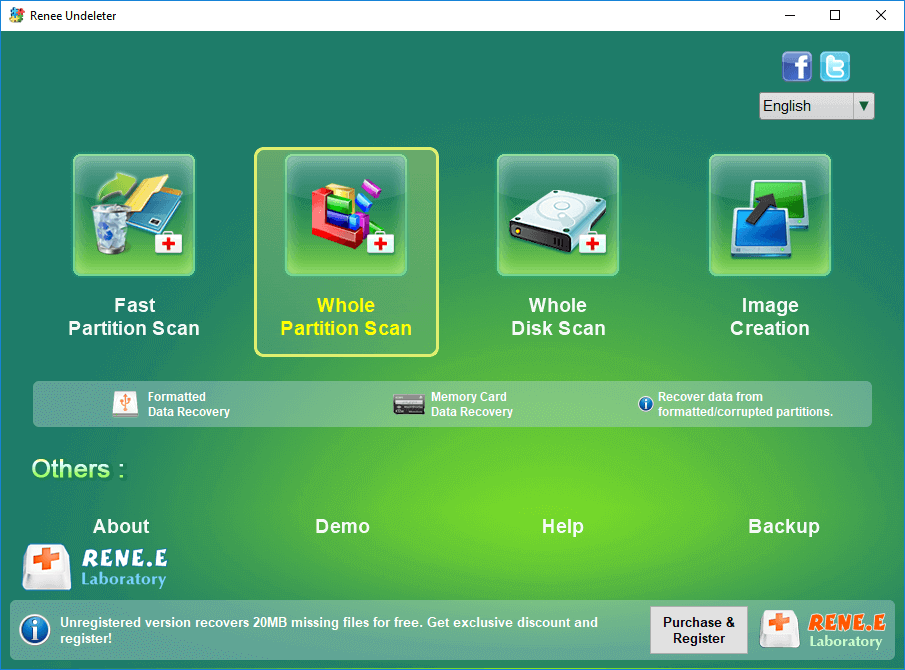
Step 1: Install and launch Renee Undeleter on a Windows PC. Select the “Whole Partition Scan” option from the main menu. Should this method not yield the desired results, opt for a “Whole Disk Scan” to conduct an extensive search.
Note: To safeguard your data, ensure Renee Undeleter is not installed on the disk where data loss occurred to prevent overwriting. Utilize the partition recovery feature to scan all hard disk partitions; it is critical that the partition with the installed software and the one requiring data recovery are not on the same disk in order to use this scan mode effectively.
Data Recovery Features:
- Fast Partition Scan: Recovers files deleted accidentally or from emptied recycle bins swiftly .
- Whole Partition Scan: Restores files from inaccessible or formatted partitions quickly .
- Whole Disk Scan: Retrieves partition information and performs comprehensive scans of entire partitions .
- Image Creation: Generates a mirror image of a partition for backup, allowing data restoration from the image file .
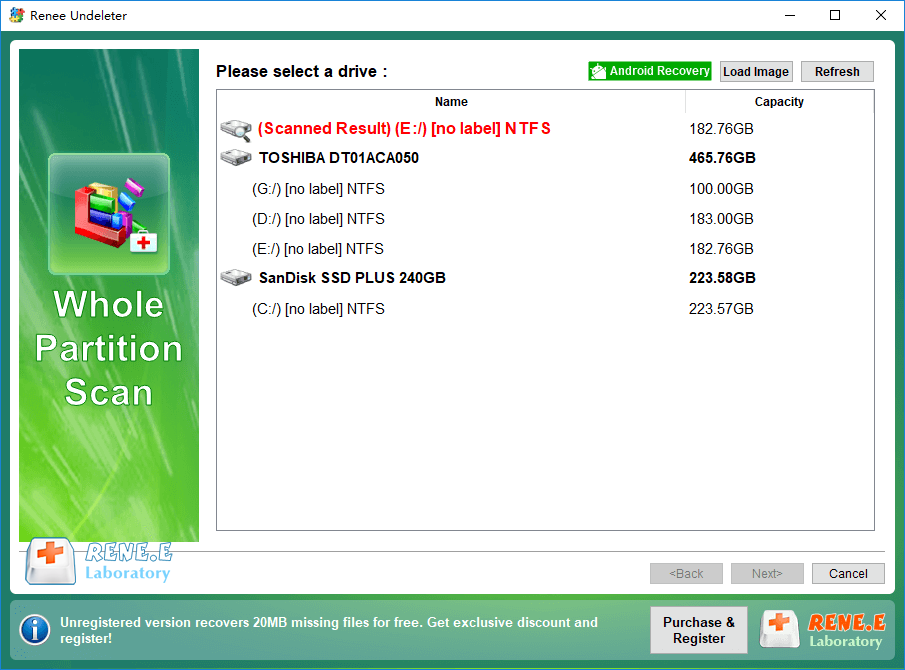
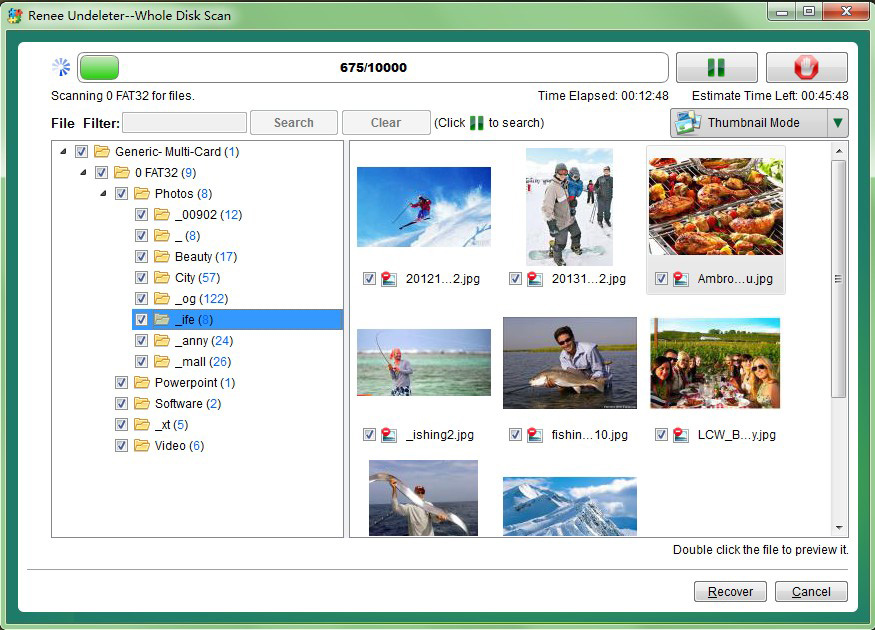
Step 2: Next, select the NTFS hard disk partition that needs to recover data. After the selection is complete, click (Next).
Step 3: After the scan completes, double-click a file to preview it. Should it be the file you’re looking for, select it and click the Recover button. To manage multiple files, make good use of the file filter by typing in the file extension (e.g.,
jpg
,
png
,
pdf
,
mp4
) and press the Search button to narrow down to your specific files.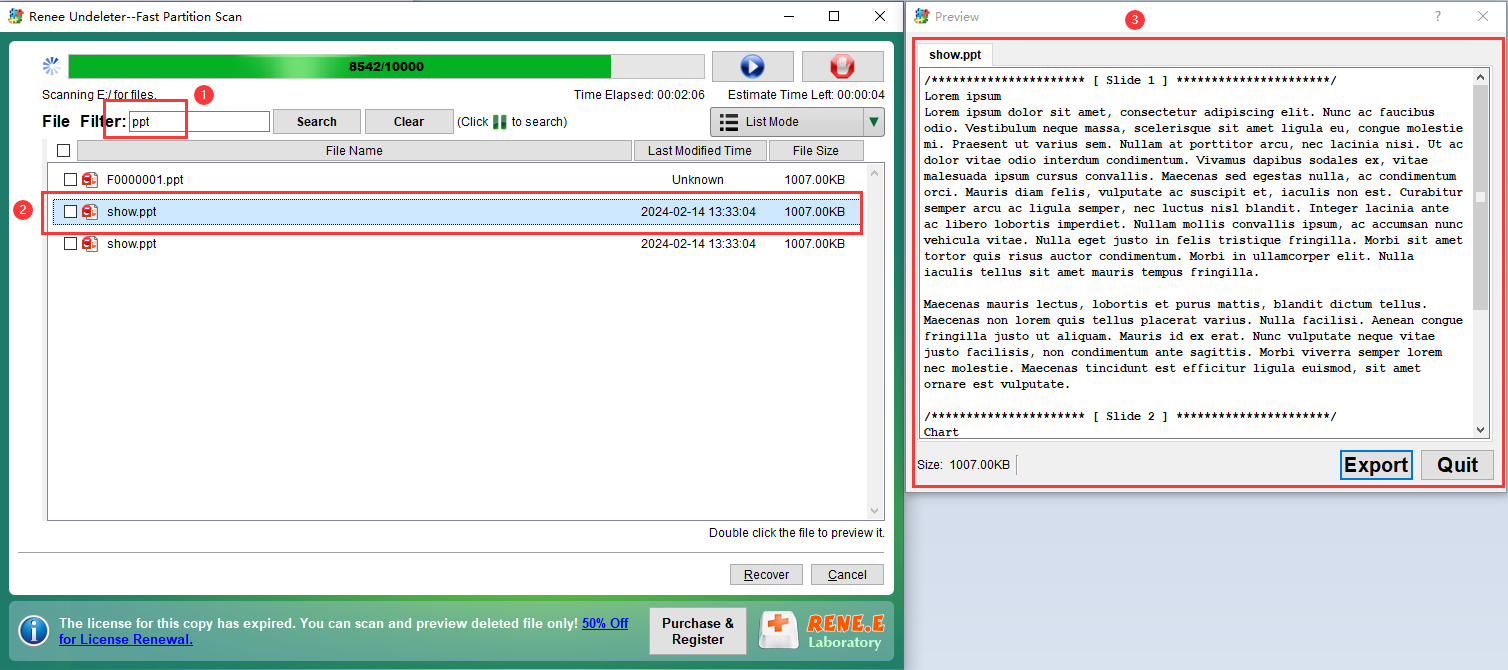
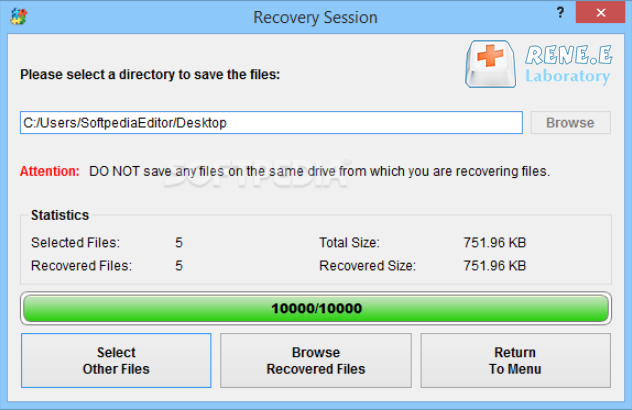
Step 4: Click the (Browse) button to select another hard disk partition to save the file, and then click (Restore). Wait for the recovery to complete, click (Browse recovered files) to view the recovered files.
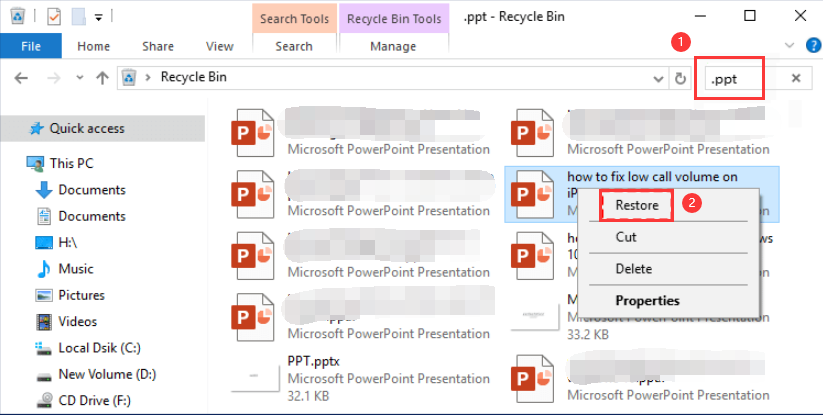
If the NTFS hard drive is a built-in hard drive, after the general deletion operation, the deleted files will be temporarily stored in the recycle bin, and you can try to find and restore NTFS data from the recycle bin.
Step 1: Find (Recycle Bin) on the desktop and double-click the Recycle Bin icon.
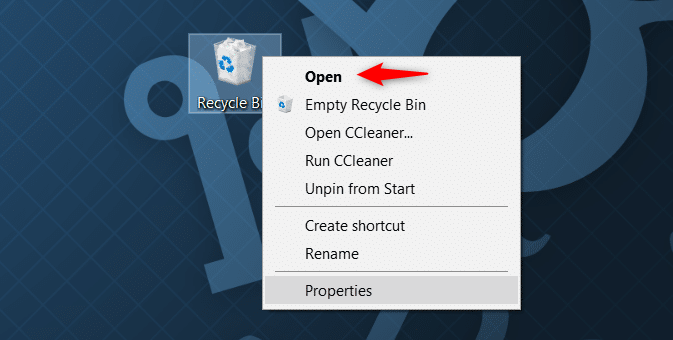
Step 2: After opening the recycle bin, determine the file to be restored through the file name, original location, deletion date and other information, right-click the target file, and select (Restore).
1. Do a good job of file backup every day
To prevent file loss , regularly back up your data . Windows users can utilize professional data backup software like Renee Becca . Alternatively, take advantage of Windows’ built-in backup and file history features to secure hard drives or specific folders. For detailed steps on performing Windows backups, click here .
2. Avoid hard disk collision
Handle hard drives with care to prevent damage from bumps or loose connections, which could result in data loss . Additionally, operate computers in environments with moderate temperatures , low humidity , and minimal dust to maintain hard disk integrity .
3. Avoid getting viruses and downloading malware
To protect your hard drive from unauthorized file deletion by viruses and malware, avoid clicking on links from unknown sources, refrain from downloading software from dubious websites, and consistently run antivirus scans .
Relate Links :
How to Fix When Files on SD Card Not Showing up on Android?

27-12-2021
Amanda J. Brook : Sometimes, the SD card files are not showing up on Android. How can we solve the problem? In...
How to Fix GoPro SD Card Error?

29-12-2021
Ashley S. Miller : Some people meet with the GoPro SD card errors, such as “NO SD” and “SD ERR”. In this...
Solutions to SD Card Unexpectedly Removed on Android

24-12-2021
Jennifer Thatcher : Some Android users complain that they always receive the notification saying that the SD is unexpectedly removed. In...
How to Fix Corrupted SD Card on Android?

16-12-2021
John Weaver : SD card is used in various devices, phones, cameras and video games. How to fix the corrupted SD...
Comments
0 comments
Please sign in to leave a comment.