
There are many PDF editors. We recommend some useful PDF editors as follows.
Google Docs is a tool used to work online. Similar with Microsoft Office, it can process documents, excels and PPTs online. Besides, you can easily realize some operations, such as formulating list, sorting items by column, adding table/image/marks/formulas and modifying the font styles. All these functions are free.
DOC, XLS, ODT, ODS, RTF, CSV, PDF and PPT are the available formats in Google Docs. You can clearly select the functions to change font to bold, draw underline, use indentations and change font/layout/background color. Next, we will show you how to edit PDF with Google Docs online.
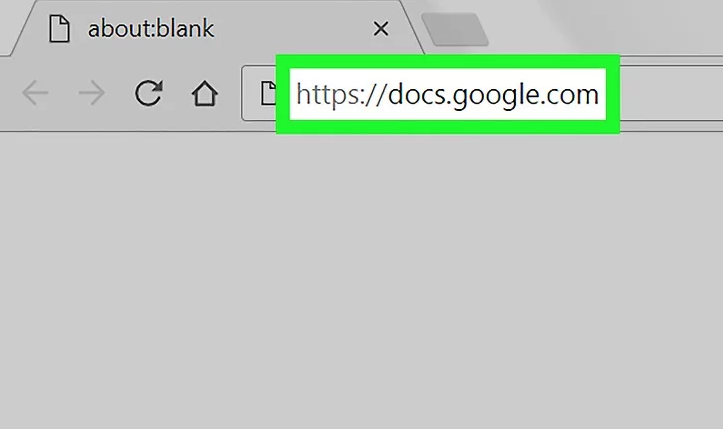
Step 1: Get access to Google Docs (link: https://docs.google.com/) and then log in with your Google account.
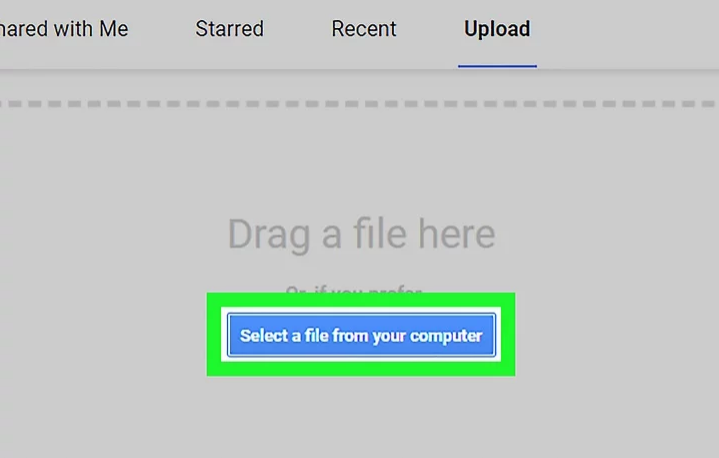
Step 2: Click on [ Upload ] – [ Select a file from your computer ], then import the PDF file to the website.
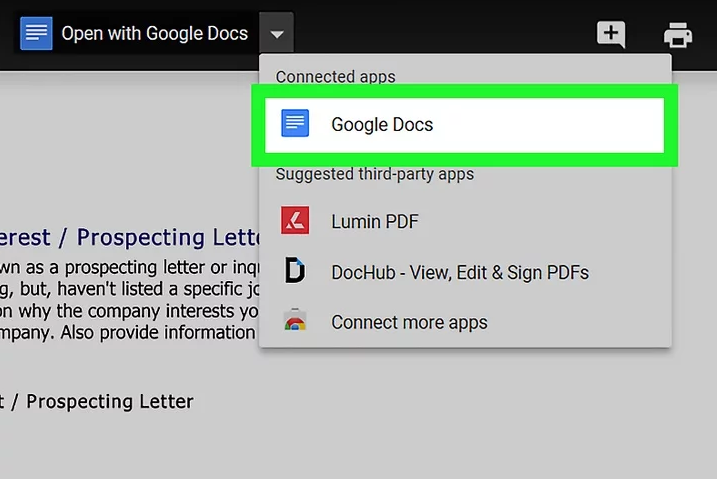
Step 3: Then, click the downside triangle to expand the [ Open with Google Docs ] menu and select [ Google Docs ].
Step 4: After that, select different tools to edit the PDF file.
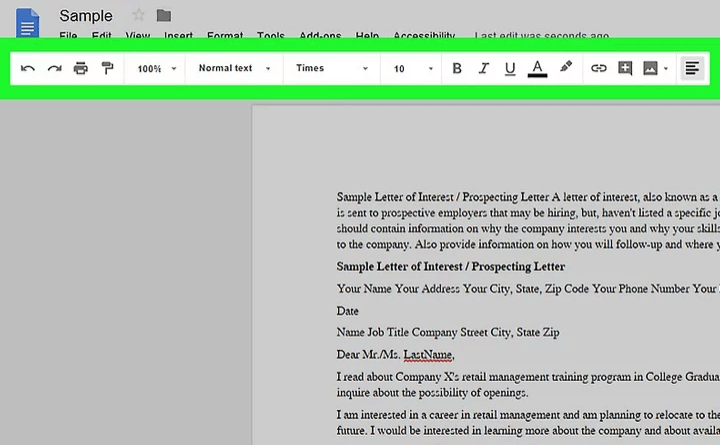
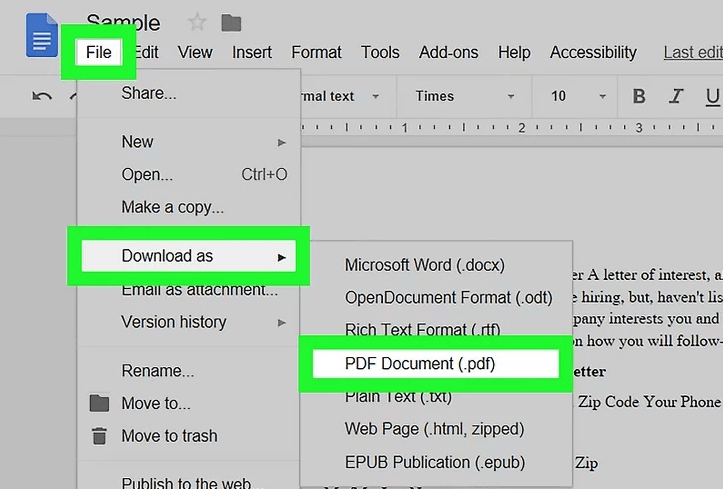
Step 5: Finally, click on [ File ] – [ Download as ] – [ PDF Document (.pdf) ] and save the PDF file.
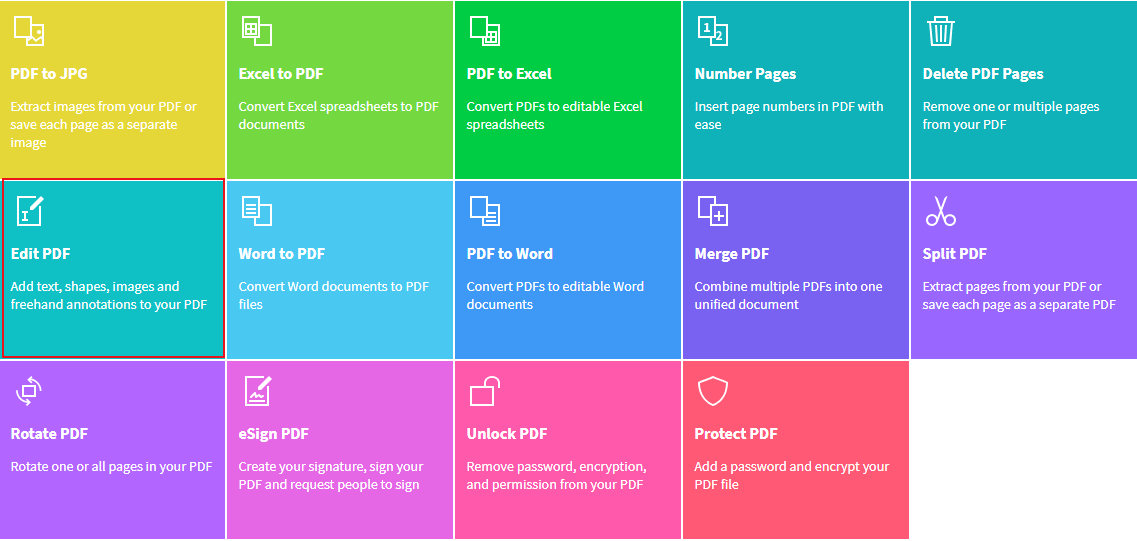
Small PDF is the online PDF editor. It can convert between PDF and Word/PPT/JPG/PNG/Excel. Besides, it offers many useful editing functions, such as decryption/encryption, rotating, merging, splitting and adding digital signature.
Besides, Small PDF is easy to use, available in multiple systems, such as Windows, Mac and Linux. Next, we will show you how to edit PDF with Small PDF online.
Step 1: Get access to the website (link: https://smallpdf.com/) and select [ Edit PDF ].
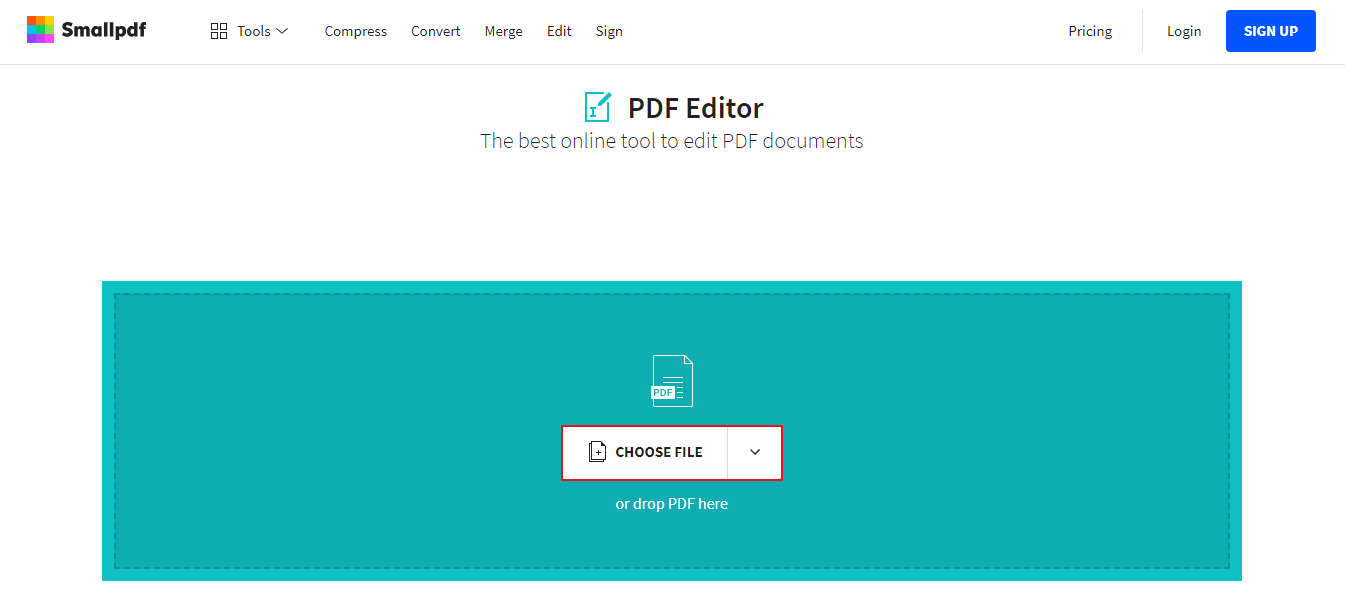
Step 2: Click on [ CHOOSE FILE ] to select the PDF file.
Step 3: Finally, edit the PDF file online.
From the above contents, we’ve learned about how to edit PDF files online. Some people have noticed that the online editor is easily affected by the network environment and the file size. Due to the slow network and the large file size, you may fail to edit and save the file. The uploaded file is also exposure to the risk of data leak.
Therefore, we recommend the PDF editing software, Renee PDF Aide. Once you install the software, you can edit the PDF files offline. You don’t need to upload the file to the other server and keep data security. Next, we will show more details about the software.
Renee PDF Aide is the software that supports to edit PDF and convert PDF. With utilization of the advanced OCR (Optical Character Recognition) technology, it can convert PDF to Word/Excel/PowerPoint/Image/HTML/TXT and the other common formats. You can designate the specific pages to be converted at the speed of 80 pages/min. Besides, it can repair the damaged PDF files, compress PDF files to shorten the loading time, merge several files into one and rotate the file position. En/decryption and watermark are allowed to add for PDF files, too.
What’s more, Renee PDF Aide supports English/French/German/Spanish/Portuguese/Chinese/Korean/Japanese. Under the mode of OCR, it can greatly improve the accuracy of character recognition. Even though you are a new user, you can use this software easily.
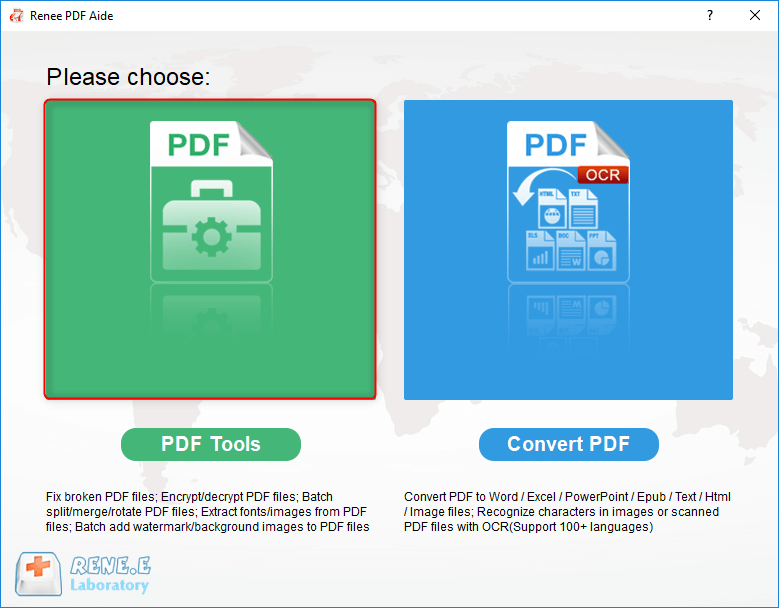
Renee PDF Aide includes two functions [PDF Tools] and [Convert PDF]. Next, we will show you how to convert PDF to text with the software.
How to edit PDF with Renee PDF Aide?
Here are the steps:
Step 1: Download and install Renee PDF Aide. Open the software and click on [ PDF Tools ].
Step 2: Select one of the functions at the top menu.
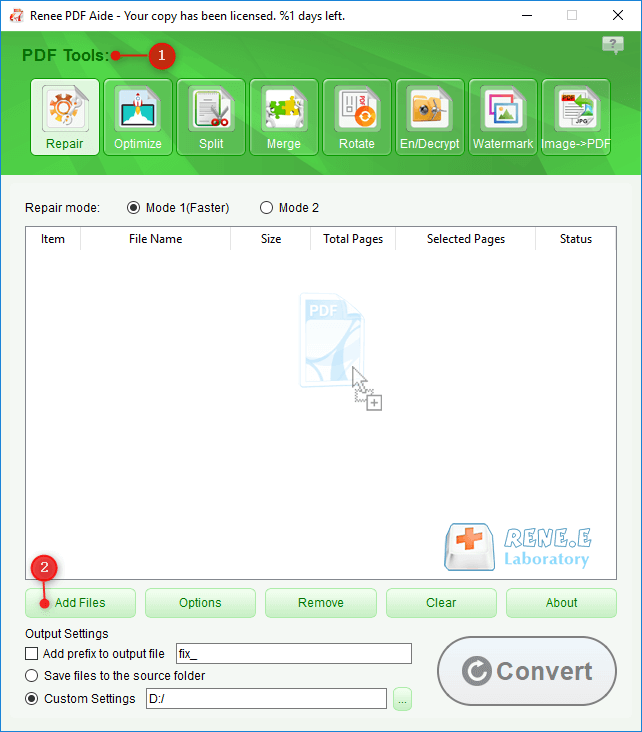
Instruction of each tool:
Repair: Fix the broken PDF file or the file that cannot be opened
Optimize: Compress large PDF file
Split: Split a PDF file into small files
Merge: Merge several PDF files into one, or merge the selected pages
Rotate: Adjust a PDF file at different angles
En/Decrypt: Lock and unlock PDF files
Watermark: Add overlay watermark or background to PDF files
Image→PDF: Merge one or more images into PDF files
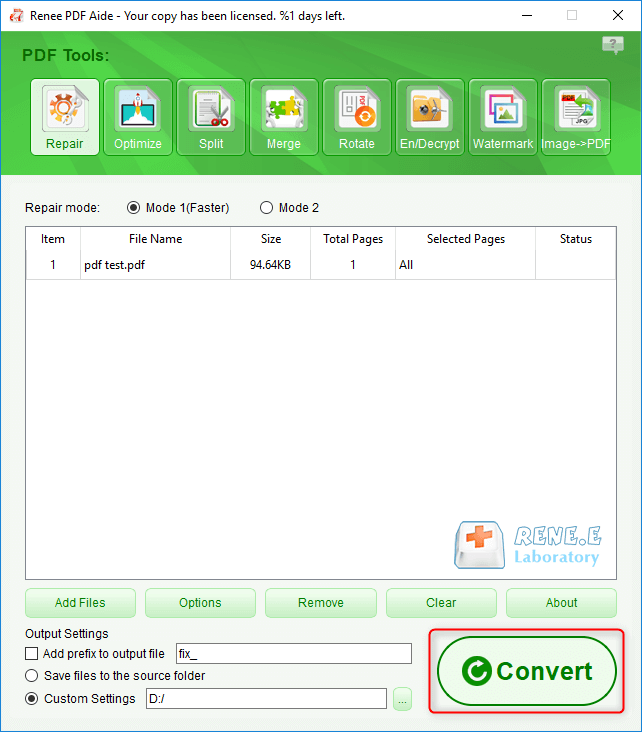
Step 3: Click on [ Convert ] to output the edited PDF file.
Conclusions:
With the three methods, you can edit the PDF files well. But they are different. If you don’t want to install any software, the online editors are suitable for you. If you further need to convert PDF to the other formats, Small PDF is better.
In fact, Renee PDF Aide contains both of PDF editor and PDF converter. It can be used offline. That makes your files safe. If you need to edit PDF files in batch, we recommend Renee PDF Aide.


Comments
0 comments
Please sign in to leave a comment.